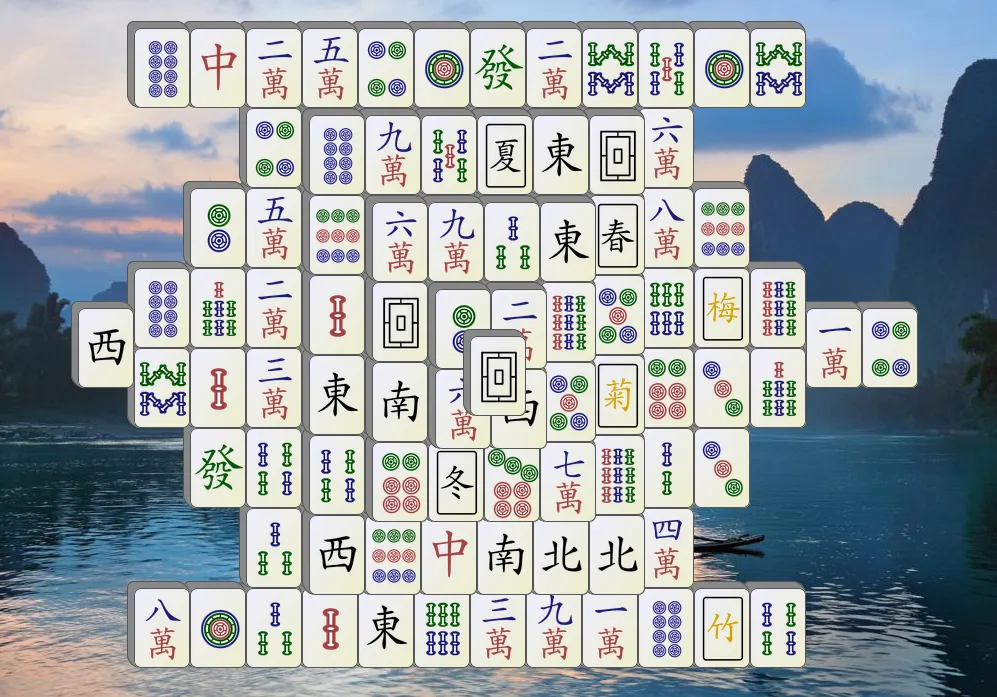
Classic Mahjong PC Download for Windows
Classic Mahjong PC · Windows desktop app

Play Classic Mahjong, Free on Windows

The timeless tile-matching game. Offline, ad-free, on your desktop.

Download free for Windows
Windows 10 / 1164-bitFree · No ads · No sign-in
Uninstalls from Windows Settings No account needed Offline play
Windows 10 / 1164-bit native
$0
100% FreeNo subscription
Zero AdsPure gameplay
Offline PlayNo internet needed
★ 4.7 / 3,241
Highly Rated4.7 stars · 3,241 ratings
What you get

Classic Mahjong, perfected for desktop

Hundreds of layouts, clean interface, zero interruptions.

Hundreds of Layouts

Classic turtle, dragon, pyramid and many more layouts to keep every session fresh.

Hint & Undo

Stuck? Use the hint system. Made a wrong move? Undo as many times as you need.

Ad-Free & Private

No ads, no data collection, no sign-in. Just pure Mahjong from the moment you launch.

How it works

Playing in three easy steps

1

Download & install

One-click installer, done in under a minute. No browser extension or extra software.

2

Pick a layout

Choose from dozens of classic layouts — turtle, dragon, pyramid, and more.

3

Match and win

Clear all tiles by matching identical pairs. Use hints and undo whenever you like.

4

Keep playing

New shuffle any time. Unlimited games, zero cost, no internet required.

Windows 10 or 1164-bitNo internet required to play
Before you download

Questions people ask

Is it really free?
Yes — completely free. No trial period, no subscription, no ads, no in-app purchases. Download once and play forever.
Does it work offline?
Yes. Once installed, Classic Mahjong PC works entirely offline. No internet connection is needed to play.
Is the download safe?
The installer is published by the company shown in the footer. When Windows shows the file details, verify the publisher name matches. If it doesn't, don't run it and contact us.
Why does Windows show a warning when I open it?
Windows SmartScreen warns about apps it hasn't seen many times yet. Click More info, verify the app name and publisher match, then click Run anyway. The download page walks you through it step by step.
What exactly gets installed?
One game application and a Start-menu entry. No browser extensions, no toolbars, no additional software.
How do I uninstall it?
Settings → Apps → Installed apps → Classic Mahjong PC → Uninstall. Step-by-step with screenshots.

Start playing today

Free download · No ads · No sign-in · Works offline

Download free for Windows
Windows 10 / 1164-bitFree · Offline · No ads